







Automated Global Identity Document Management with Regex Validation and Renewal Alerts

Centralised, secure capture of passports, visas, and country-specific IDs with instant format checks and proactive expiry notifications.

Delivered a unified identity management capability in 1 week, improving data quality at entry and reducing compliance risk for a multinational HR team.

About The client

Client Under NDA

A multinational HR organisation needed a consistent, secure way to capture and manage employee identity documents and national identifiers in a single system. Previously, information was fragmented across different records and manual processes, which created avoidable errors and made it harder to maintain confidence in the completeness and accuracy of identity data during onboarding and ongoing employment.

The scope covered passports, visas, and multiple country-specific identifier types (including SSN, Aadhaar, NIN, TFN, and My Number). The solution required validation at the point of entry to prevent invalid formats being saved, plus automated renewal alerts triggered ahead of document expiry dates to support compliance workflows and reduce last-minute renewals.

Know More

How It Went

The Challenge

The focus was to reduce admin effort, minimise data errors, and improve audit readiness by ensuring all impacted records remain aligned whenever a termination plan changes.

  • Identity data quality was unreliable, with malformed or incomplete IDs creating audit and payroll risk./li>
  • Manual checks and clean-up consumed significant HR admin time each week.
  • Rolling out or updating validation patterns was slow and developer-dependent.
  • Peak onboarding periods created backlogs when changes were needed quickly
  • The team needed a scalable approach that could expand to more countries without code changes.
Know More

How We Did it?

Our Solution

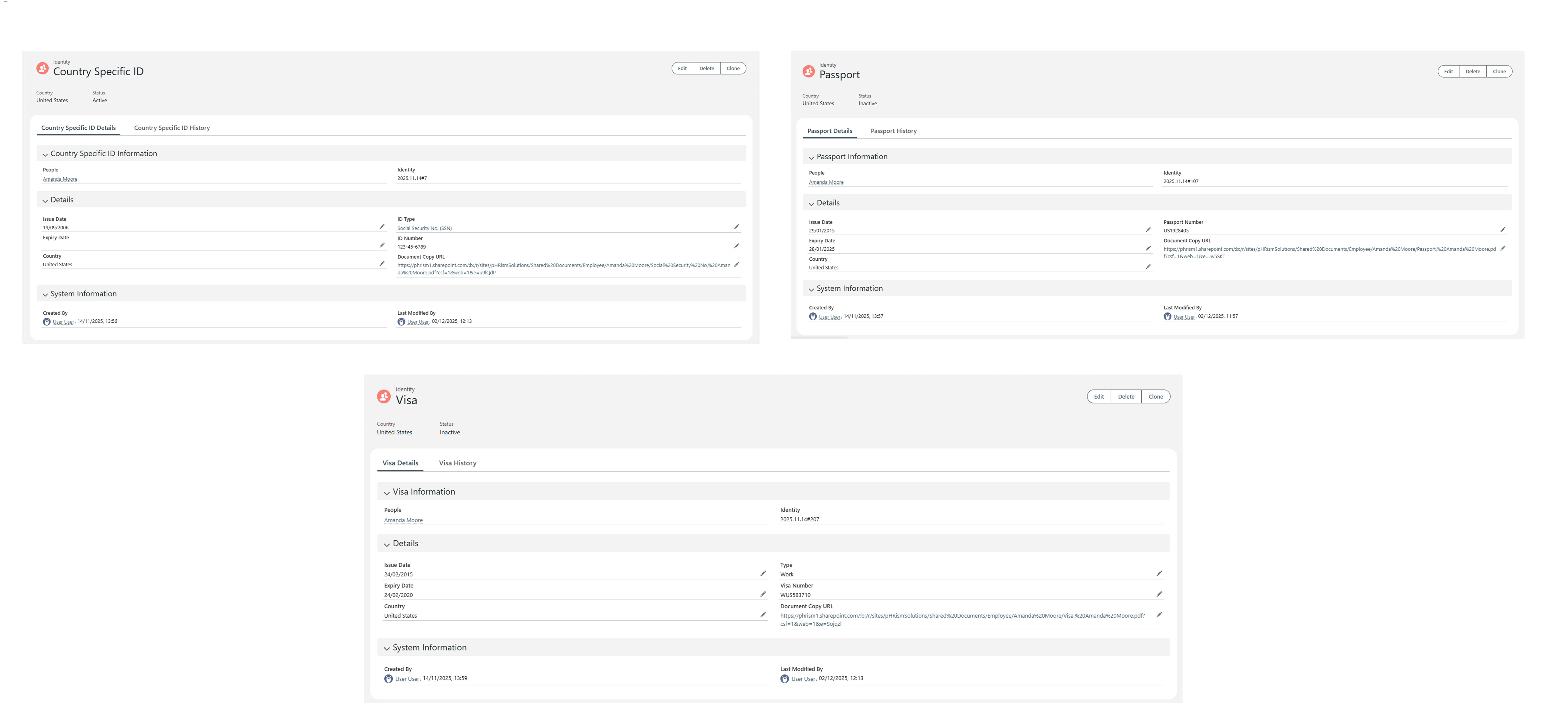
– First, we created a unified data structure in Salesforce to store passports, visas, and country-specific IDs against each employee record, replacing scattered spreadsheets and email trails.

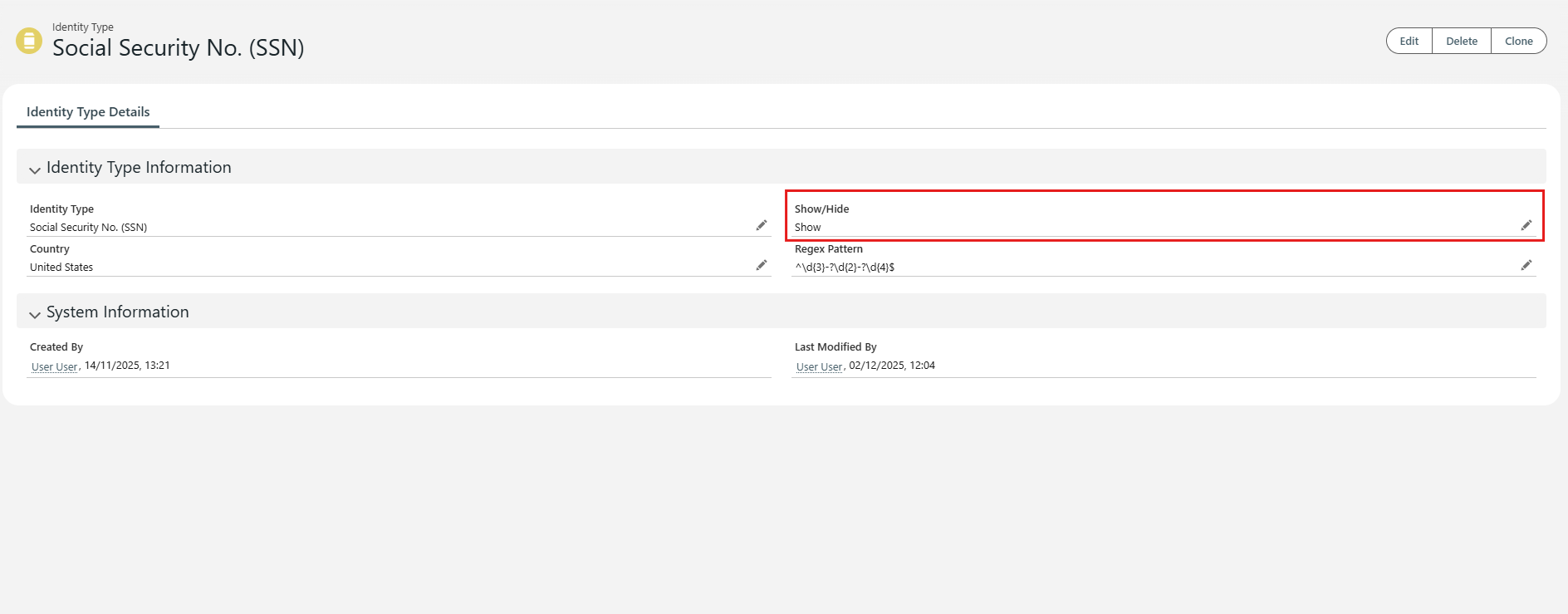
– Next, we introduced configurable identity type controls. Admins can show or hide identity types and use smart lookup filters so that selecting a country surfaces only relevant, active ID types (for example SSN for the US or Aadhaar for India).

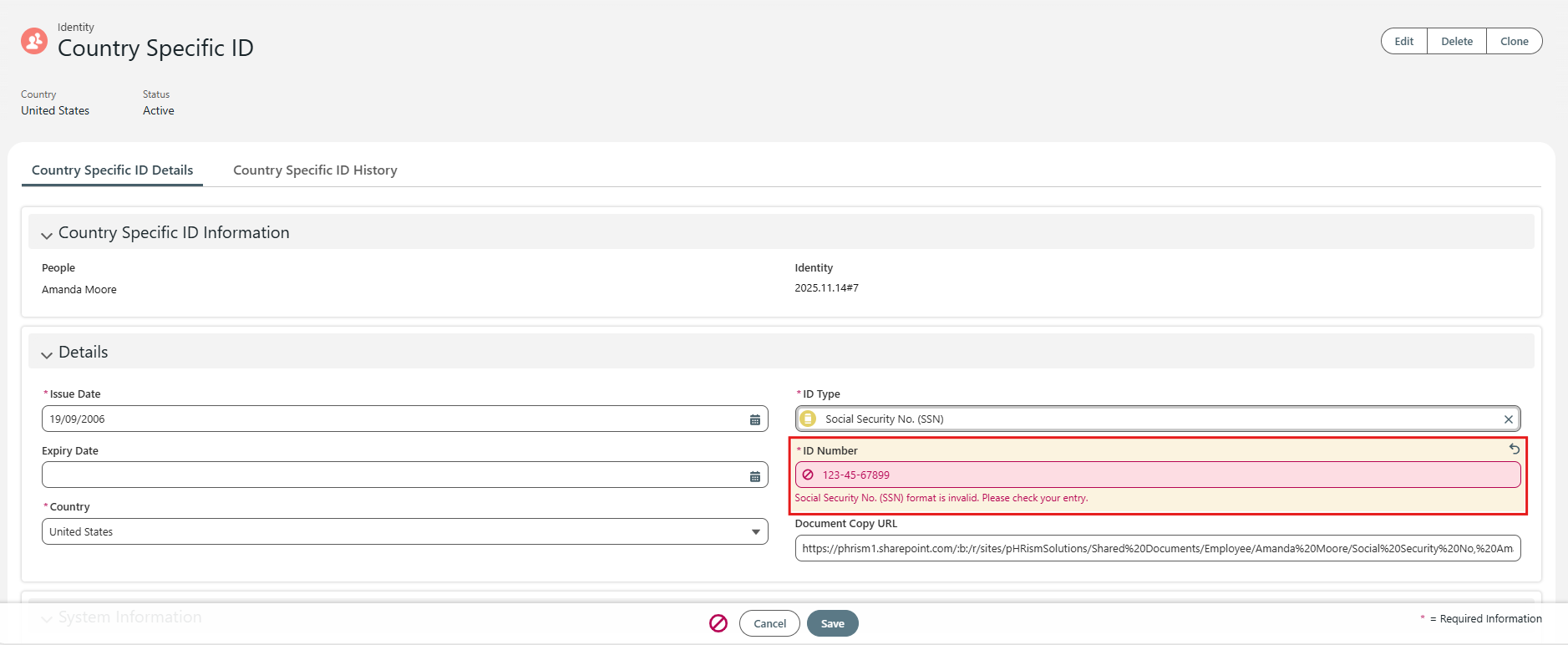
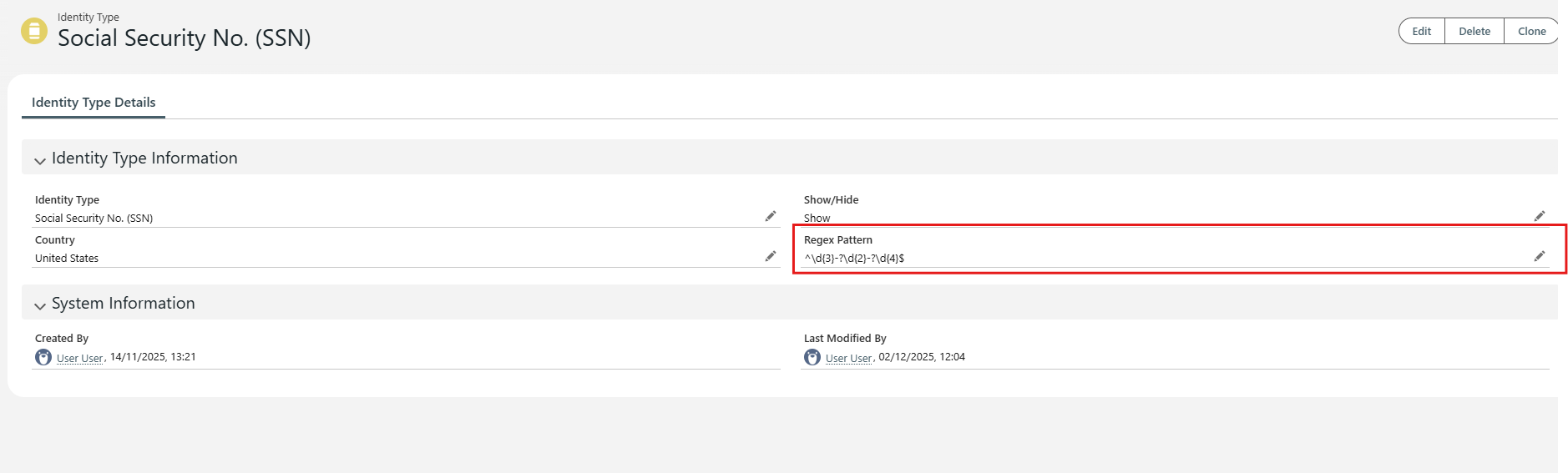
– We then implemented a reusable regex validation engine. Each ID type includes a configurable regex pattern that validates the entered number at save time, blocks invalid formats, and displays a clear error message to the user.

To make the solution maintenance-free, admins can add new countries or new ID formats by creating a record and entering the required regex. This reduces updates from days of development effort to minutes of admin work and supports expansion to 50+ countries.

Finally, we added expiry intelligence using status and calculation fields, with automated workflows sending renewal alerts at 180, 60, and 30 days before expiry to employees and HR.

Get Started With Your Project

Technologies & Platforms

  • Salesforce Record Types
  • Salesforce Lightning App Builder
  • Salesforce Smart Lookup Filters
  • Salesforce Flows

Joint Effort

The Collaboration

We worked with HR stakeholders to define the required identity types, countries, and validation rules, then iterated quickly on the user experience to ensure the process was simple for standard users and configurable for admins. The delivery approach focused on rapid implementation, clear governance, and low ongoing maintenance.

Work With Us

The Result

Project Outcomes

  • Unified secure capture for passports, visas, and country-specific IDs in one place
  • Invalid ID formats blocked at entry through configurable regex validation
  • Admin-controlled show/hide identity types and country-based filtering to reduce errors
  • Automated 180/60/30-day renewal alerts to minimise compliance gaps
  • Reduced manual validation and clean-up effort by 90%
  • Enabled scalable rollout to 50+ countries without developer dependency
Get Started With Your Project

Project Screenshots

FAQ's

About This Project

Store the document details and expiry date against each employee record and automate reminders ahead of expiry. This reduces manual tracking and helps prevent missed renewals.
Regex validation checks whether an entered ID matches the required format. It prevents malformed identifiers from being saved, improving data quality and reducing downstream payroll and compliance issues.
Yes. If the system allows admins to configure identity types and maintain regex patterns via records or settings, updates can be made quickly without code changes.
Use country-based filtering so users only see relevant, active ID types for the selected country. Combine this with admin show/hide controls to keep the interface clean.
A common approach is staged reminders such as 180, 60, and 30 days before expiry. This gives employees and HR enough time to act while keeping oversight simple.
Centralised storage, consistent validation at entry, and clear status and expiry fields make it easier to demonstrate completeness and accuracy, and to report on upcoming expiries and exceptions.

Got more questions? Feel free to reach out to us for more details & also get a free consulting session with our experts.

Get More Details

Talk To Our Experts

Need Help?Talk To Our Experts