






Job Change Form: A Unified Workflow for Employee Role Transitions

Standardise promotions, transfers and role changes with an effective-date driven, guided HR workflow.

A three-step job change form that reduces manual updates, improves data quality, and keeps job history clean.

About The client

Client Under NDA

The Job Change Form was introduced in an HR system to simplify and standardise job-related employee transitions, including promotions, transfers, and role modifications. This feature helps HR teams process changes accurately, reduce manual updates, and maintain clean employment history records.

The form reduces manual effort and improves data quality by ensuring related records stay aligned and job history remains accurate. It also supports consistent processing across different job-change scenarios, helping teams complete changes faster with fewer errors.

Know More

How It Went

The Challenge

  • HR users had to navigate multiple screens and perform manual updates for each job change.
  • Data entry errors were common due to inconsistent updates across job, salary, and address records.
  • There was no standard workflow to cover different job-change scenarios consistently.
  • Teams lost time cross-checking old vs new values and updating related records manually.
  • Job end dates and new job activations were not handled automatically, creating risk in job history accuracy.
Know More

How We Did it?

Our Solution

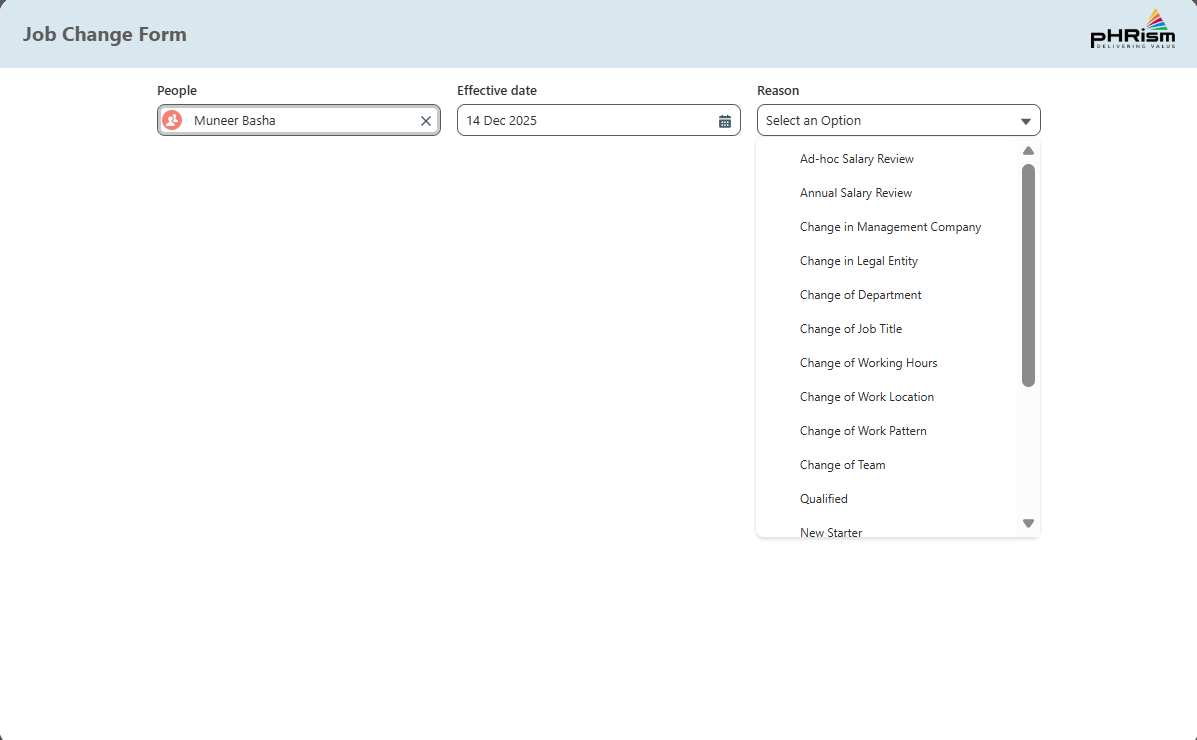
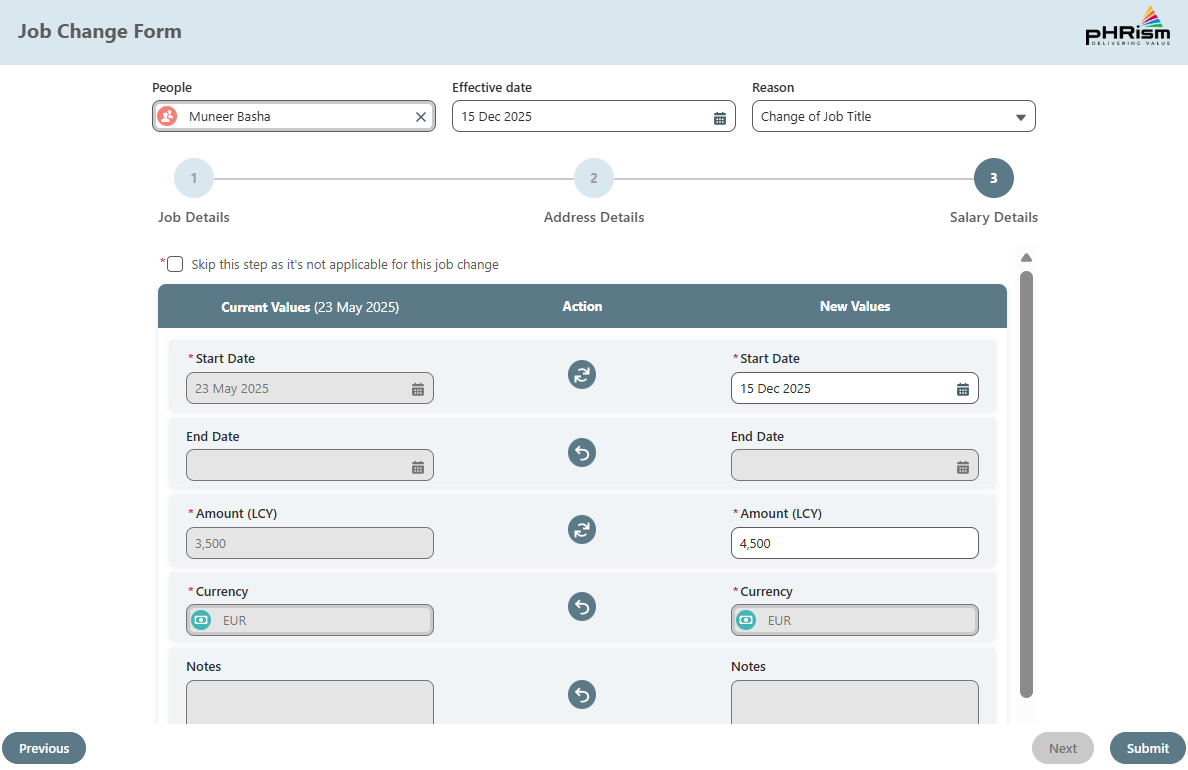
We developed a guided, three-step Job Change Form that captures required inputs up front and then structures the update into clear sections. Users start by selecting the employee, the effective date, and a reason for the change, ensuring the rest of the workflow is context-aware.

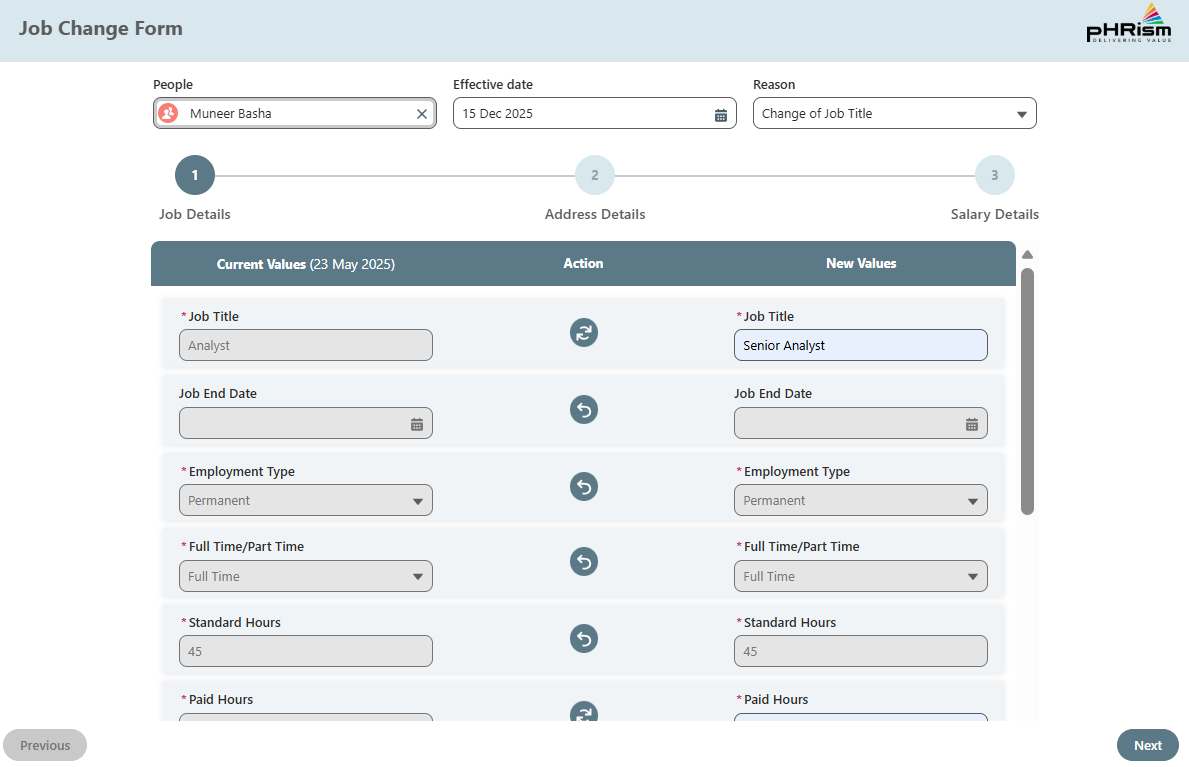
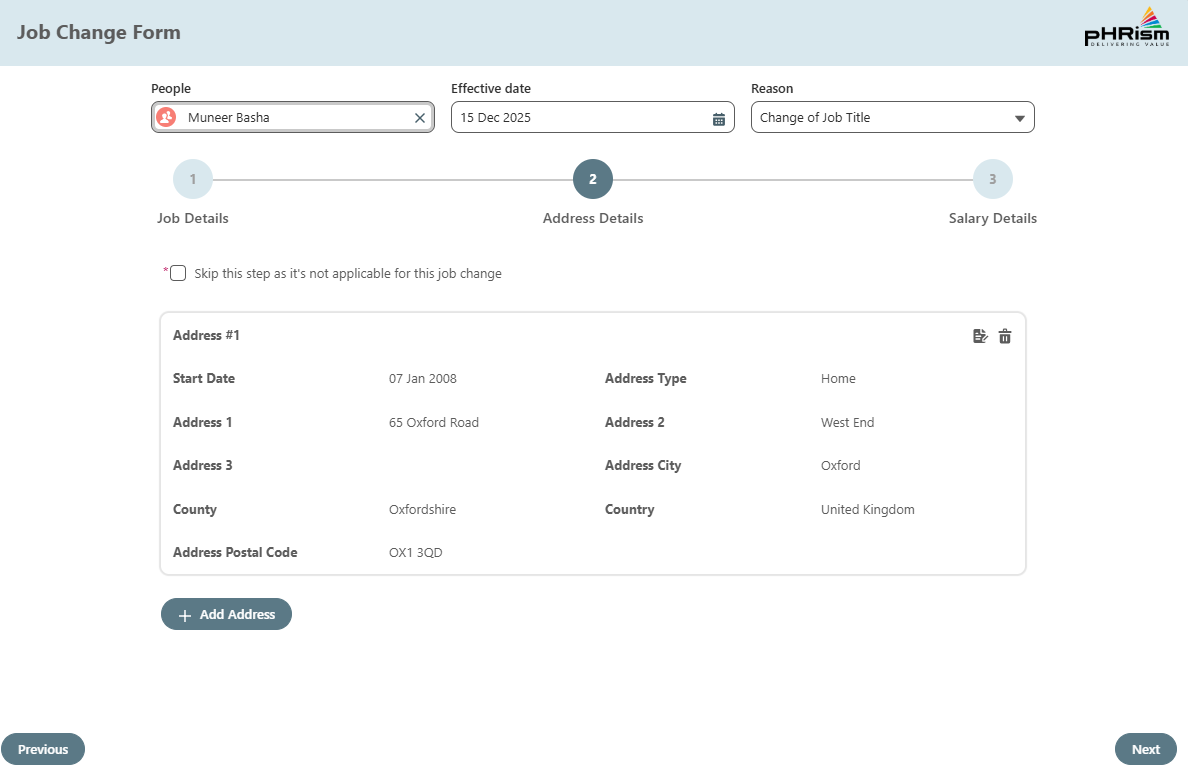
  • The main form presents job, address, and salary sections with current values shown alongside editable new values. An action button lets users auto-copy current values into new fields to reduce manual typing and lower error rates. Where a change is not required, skip options allow HR to bypass address and/or salary updates, keeping the experience focused and efficient.
  • On submission, automated back-end processing ends the current job record and creates a new job record effective from the selected date. Only the sections changed by the user are updated, ensuring clean employment history with zero overlap in job dates and a consistent audit trail.
Get Started With Your Project

Technologies & Platforms

  • Salesforce Apex Triggers
  • Salesforce LWC
  • Salesforce Lightning App Builder
  • Salesforce Smart Lookup Filters

Joint Effort

The Collaboration

We partnered closely with HR users to map real job-change scenarios and define a standard flow that works for promotions, transfers, location changes, and other role modifications. Feedback cycles focused on reducing clicks, preventing errors, and making the form predictable for day-to-day use.

Alongside HR stakeholders, we aligned the data model and automation rules so job history remains accurate, effective dates are respected, and downstream records update only when needed. This ensured the solution was practical for operations and robust for reporting and audit needs.

Work With Us

The Result

Project Outcomes

  • 60% faster processing of job changes due to automation and guided workflow.
  • Reduced manual data entry through auto-population of current values.
  • Cleaner employment history with zero overlap in job dates.
  • More accurate address updates using skip logic when not applicable.
  • More accurate salary updates using skip logic when not applicable.
  • Improved consistency across HR operations via a standard job-change process.
Get Started With Your Project

Project Screenshots

FAQ's

About This Project

A job change workflow is a standard process for handling employee transitions such as promotions, transfers, or role updates, ensuring the right records update on the correct effective date.
Use an effective-date driven workflow that ends the current job record and creates a new job record from the selected date, avoiding overlaps and preserving a clean audit trail.
At minimum: employee, effective date, reason for change, and the relevant updates across job details, address, and salary. Showing current vs new values helps reduce mistakes.
Skip logic allows HR teams to bypass sections that do not apply to a specific change, reducing unnecessary steps and lowering the chance of accidental edits.
Combine structured sections, side-by-side current and new values, and an action that auto-copies existing data into new fields, so users edit only what is changing.
Yes. Using components for the user interface and automation for record updates, Salesforce can support guided job update workflows with effective-date processing and controlled field selection.

Got more questions? Feel free to reach out to us for more details & also get a free consulting session with our experts.

Get More Details

Talk To Our Experts

Need Help?Talk To Our Experts